


Stingray Music - 100s of DJs
4.62.42K Reviews
App Specs
- Version
- 9.7.4
- Updated On
- License
- Free
- Downloads
- 1,000,000+
- Developer
- Stingray Group
- Categories
- Music & Audio
- Platform
- Android
Screenshots
 Analysis by AppCompare
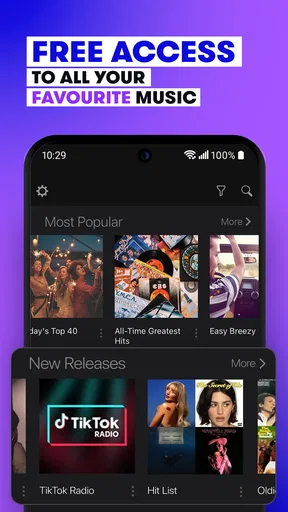
I usually reach for music apps when I want something playing quickly, not when I want to spend ten minutes building a perfect queue. That is the situation where Stingray Music makes the most sense. It is a free Music & Audio app from Stingray Group that focuses on curated channels rather than asking me to choose every song myself. After using it as a background companion for commuting, cooking, working, and winding down, I found its main appeal quite clear: it reduces the effort between opening an app and hearing a suitable soundtrack.
The experience is closer to turning on a well-organized digital radio station than managing a personal library. That distinction matters. If I already know exactly which albums or artists I want, an on-demand service is usually more precise. If I want a mood, genre, or dependable stream without constant decisions, this app is much more comfortable. Its free entry point makes it easy to try, although in-app purchases range from $2.99 to $69.99 per item, so I would check the purchase screen carefully before confirming anything.
From an empty room to music that fits the moment
I begin this section with the small, familiar problem the app is meant to solve: an empty room and no desire to build a playlist from scratch. I’ll look at how choosing a channel can fit a particular mood or task, while keeping in mind that curated listening trades some control for less decision-making. That expectation sets up a closer look at how the app behaves once it is playing.
Starting with the right expectation
The first useful decision is not technical; it is choosing what I expect the app to do. Stingray Music is built around channels curated for different moments and tastes. I do not approach it as a replacement for a carefully organized offline collection, a podcast player, or a service whose main strength is exact song selection. I open it when I want the app to take over the programming work.
That makes the starting condition pleasantly simple. I might be getting ready in the morning, sitting at my desk with a task that needs concentration, or driving and wanting music without repeatedly touching the phone. Instead of beginning with a search box and a blank playlist, I begin with a channel choice. The reduced number of decisions is the real feature I notice first.
The app carries a Teen content rating, which is useful context for families deciding whether it belongs on a shared device. I would still treat it as a general music service rather than assuming every channel will suit every listener or every setting. A parent choosing music for a younger child should listen to the selected channel first and use their own judgement.
My step-by-step listening flow
I start by opening the app and looking for a channel that matches the activity rather than searching for a specific track. For example, while working, I prefer a steady atmosphere that does not demand much attention. During a kitchen cleanup, I am more willing to choose something livelier. This small change in how I browse is important: I make the decision at the level of mood and context, then let the channel handle the sequence.
Worth Reading Before You Choose

EA SPORTS FC Mobile 26 Is a Bigger Football Game, but It Takes Time

Flipboard Shows What News Apps Must Do Beyond the Feed

Switching to Android Auto Means Rethinking Your Driving Routine

Google Calendar Makes a Crowded Week Easier to Manage

Ludo King Makes the Most of the Minutes Between Plans

Baby Panda World Brings Quick Play to Modern Phones, but Its Game Library Feels Busy
Once playback begins, I leave the phone alone for longer stretches than I would with an on-demand app. That is especially helpful when my hands are wet, when I am carrying groceries, or when I am walking and do not want to stop to curate the next song. The service works best when music is supporting an activity rather than becoming the activity itself.
When a track does not suit the moment, I do not consider that a failure of the whole service. Curated listening always involves compromise. I switch channels when the overall direction is wrong, rather than trying to force one channel to behave like a personal playlist. That habit makes the experience smoother and avoids the frustration of expecting radio-style listening to provide unlimited control.
A practical tip is to choose the channel before starting a task that will keep me away from the phone. If I wait until I am already driving, cooking, or concentrating, even a small change becomes inconvenient. I also keep my expectations realistic about discovery: the app can introduce me to music I might not have selected, but it is not the best tool when I need to hear one particular song immediately.
Where the handoffs happen
The first handoff is from me to the channel’s curation. I supply the situation—background music, a certain atmosphere, or a broad taste—and the app supplies the running sequence. This is where the service feels different from a personal playlist. I give up detailed control in exchange for less maintenance.
The second handoff is between the phone and the rest of my routine. I may start listening while getting dressed, continue while moving around the house, and then leave the app running while I work. In that pattern, the app is not something I constantly watch. Its success depends on staying out of the way, because every unnecessary interruption breaks the usefulness of hands-off listening.
The third handoff is between discovery and decision-making. A song or channel can create a new direction for my listening, but the app does not replace my own judgement about whether I want to follow that direction later. If I discover something I like, I may need another music service to search for it, save it, or build a more permanent collection. This is one of the most important trade-offs: Stingray Music is strong at the moment of listening, while other tools may be stronger at organizing what I discover.
I also think about the handoff between free access and optional spending. The app is listed as free, which lowers the barrier to trying it. At the same time, the presence of in-app purchases means I would not tap through a payment prompt casually. The sensible workflow is to use the free experience first, understand what I actually need, and only then consider whether an optional purchase improves my use case.
How it compares with familiar alternatives
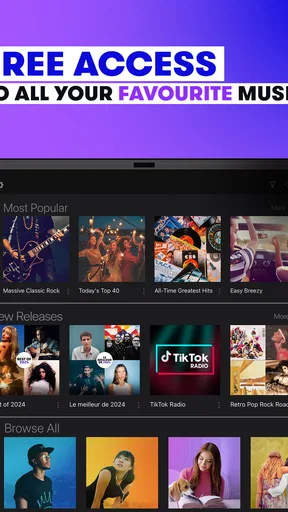
Compared with a traditional radio app, Stingray Music feels more intentional because the emphasis is on channels shaped around particular listening situations and musical directions. Traditional radio can be convenient, but it may also include interruptions or programming choices that are not suited to my current task. Here, the channel-based approach gives me a clearer starting point.
Compared with an on-demand streaming service, the advantage is lower decision fatigue. I do not need to choose an album, assemble a queue, or keep correcting recommendations every few minutes. The disadvantage is equally clear: I surrender precision. Someone who wants to replay a favorite track, follow a specific artist’s catalog, or control every transition will probably be happier elsewhere.
Compared with podcasts, this app serves a different purpose. Podcasts reward attention and provide spoken structure, while Stingray Music fills space with music. I prefer it when conversation would distract me or when I want an atmosphere rather than information. For a long trip, I might alternate between both depending on whether I want company or concentration.
Compared with a locally stored music library, it is more immediate but less independent. A personal collection gives me ownership of the exact files and predictable control over the sequence. Stingray Music gives me a faster route to curated listening, but my experience depends more on the app and its available channels. That is a fair exchange for casual listening, not necessarily for every listening habit.
The everyday outcome
My most realistic use case is a weekday evening when I am preparing dinner and tidying the apartment at the same time. I do not want silence, but I also do not want to keep stopping to choose another song. I open Stingray Music, select a channel that matches my energy, place the phone where I can hear it, and get on with the chores. The outcome is not a dramatic transformation; it is a smoother routine with fewer interruptions.
That same workflow works during desk work, although the channel choice matters more. Music with too much energy can pull my attention away from writing, while something too subdued may feel lifeless. I treat the first few minutes as a test. If the channel does not fit, I change the channel early rather than allowing a poor choice to color the entire session.
For a road trip, I value the hands-off nature even more. I can choose a direction before leaving and avoid turning the journey into a playlist-management exercise. I would still prepare responsibly: I would select music while parked, keep the phone positioned safely, and avoid browsing while driving. The app can reduce interaction, but it cannot make distracted phone use safe.
There is also a social use case. When friends are visiting, a curated channel can provide sound without forcing me to expose my personal listening history or argue over every next song. That is convenient for a shared room, although people with very different tastes may still prefer a jointly edited playlist where everyone has more direct influence.
Three details that changed how I use it
First, I stopped treating channel selection as a permanent commitment. I use a channel as a temporary environment for a task, then change it when the task changes. A channel that works for focused reading may feel wrong during exercise or cleaning. Thinking in short activity blocks makes the app feel more flexible than simply picking one favorite and leaving it there.
Second, I use curated listening as a discovery layer rather than a storage system. When something catches my attention, I make a mental note of the artist or track and later move to a more searchable service if I want to investigate further. This two-stage workflow is more efficient than expecting one app to handle discovery, collecting, replay, and deep catalog browsing equally well.
Third, I judge the app by how little attention it demands. With many music services, I can spend more time managing playback than enjoying it. Here, the useful question is not “Can I control every detail?” but “Can I choose a suitable direction and return to my activity?” If the answer is yes, the limited control becomes a deliberate convenience rather than an annoyance.
Where the flow breaks
The main friction appears when I want exact control. If a particular song is stuck in my head, a channel-based service may not satisfy me quickly. I may hear a suitable style without hearing the precise track I wanted, and there is no reason to pretend that is equivalent to on-demand playback. In those moments, I switch tools instead of fighting the design.
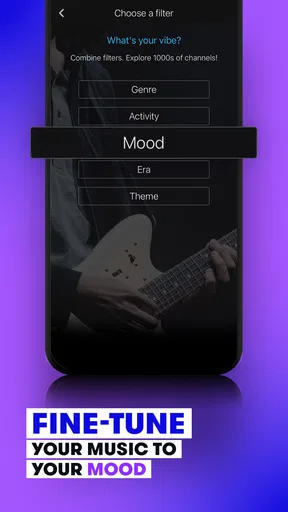
The flow can also break when my mood changes faster than the channel’s identity. A broad category may be close to what I want while still missing the right intensity, era, or balance. I can respond by changing channels, but that introduces a small interruption. People who enjoy fine-grained filters and custom queues may find this limitation more significant than I do.
Another weakness is the dependence on a stable listening setup. I would not choose a streaming music app as my only plan for a place where connectivity is uncertain, especially if silence would be a problem. For travel, I prefer having an offline alternative available. Stingray Music is convenient when the normal connection and playback conditions are working, but convenience should not be confused with complete independence.
The free label also deserves a practical reading. It is excellent for trying the core experience without committing immediately, yet optional purchases can complicate the decision for users who want a completely straightforward, no-cost experience. I would read each purchase prompt, avoid assuming that every useful option is included automatically, and decide based on actual listening habits rather than impulse.
Who should use it, and who should skip it
I would recommend Stingray Music to someone who wants music ready for everyday moments and does not enjoy constant playlist maintenance. It is particularly suitable for background listening, casual discovery, housework, commuting, and shared spaces where a broadly appropriate channel is more useful than personal perfection. Its history on mobile and its current version, 9.7.4, also make it feel like an established option rather than a brand-new experiment.
The app has broad reach, with over one million installs, and its average rating is 4.6 from around 54 thousand ratings. Those figures suggest that the simple channel model works well for many listeners, although they should not replace trying it with my own music habits. A strong overall reception does not change the fact that exact-song control is not its central strength.
I would skip it if my main requirement is offline ownership, lossless library management, advanced playlist editing, or guaranteed access to a specific artist or release. I would also look elsewhere if I dislike curated programming on principle. In those cases, a conventional on-demand service or a personal collection will provide a better fit, even if it requires more setup.
Device details and the final decision
On Android, the app supports devices running version 5.0 or later, which keeps the compatibility requirement relatively accessible for people using older supported phones. Stingray Group is the developer, and the app has been available since August 12, 2011. I see that long presence as useful context: the concept has had time to settle into a familiar radio-like workflow rather than trying to imitate every feature of a full music library.
My final view is positive, with one clear condition: I recommend it when the desired outcome is dependable, curated music with minimal effort. The app succeeds when I choose a channel, hand over the programming, and return to what I was doing. It is less convincing when I need a specific track, a permanent collection, or complete control over every transition.
My practical recommendation is to treat Stingray Music as a low-effort listening layer, not as your only music tool. Use it for the moments when a good musical atmosphere matters more than perfect control, keep another option for exact searches and offline listening, and be deliberate with any in-app purchase. Used that way, it turns an empty room, a repetitive chore, or a quiet commute into a more pleasant routine without asking me to manage the soundtrack every minute.
Pros
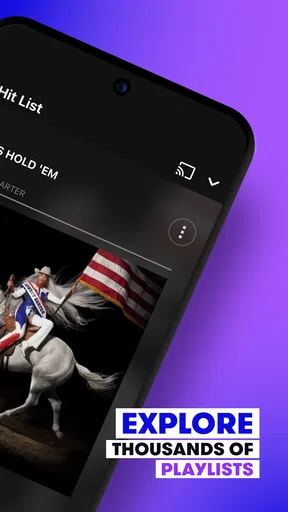
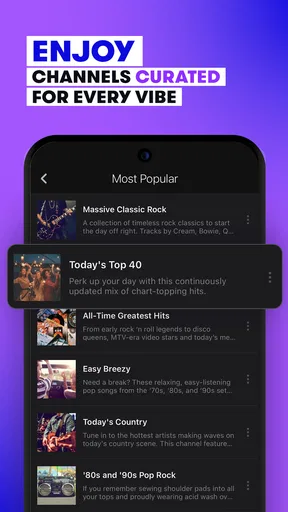
- Large selection of genre-based stations for different moods.
- Curated by real DJs rather than relying only on automated playlists.
- Simple interface makes browsing stations quick and straightforward.
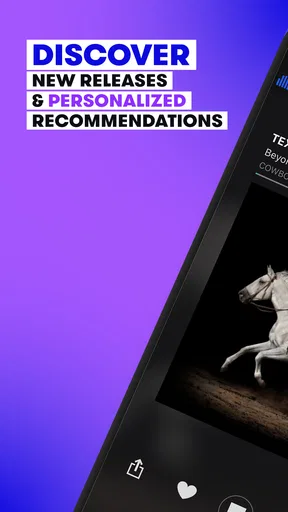
- Useful for discovering songs outside your usual listening habits.
- Available on both Android and iOS devices.
Cons
- Some features may depend on your country or mobile carrier.
- Audio streaming can use significant mobile data over long listening sessions.
- Limited control over the exact songs that play on each station.
- Requires a stable internet connection for uninterrupted playback.
- Advertising or promotional content may interrupt the listening experience.
FAQs for Stingray Music - 100s of DJs
What is Stingray Music - 100s of DJs?
Stingray Music - 100s of DJs is a streaming radio app that gives you access to a broad selection of curated music channels hosted and programmed by professional DJs. Instead of relying only on personal playlists, you can browse genre-based stations, discover different artists, and enjoy music selected for specific moods, activities, and listening preferences. The exact channel selection may vary by location and service provider.
Is Stingray Music - 100s of DJs free to use?
The app may be available to download at no cost, but access to all channels and features can depend on your country, television or internet provider, subscription package, or account status. Some users may receive Stingray Music as part of an existing service, while others could encounter restrictions or paid access. Before downloading, check the listing and sign-in requirements available in your region.
Does the app require an internet connection?
Yes, Stingray Music - 100s of DJs is primarily an online streaming service, so an active Wi-Fi or mobile data connection is normally required to listen to its channels. Streaming over cellular data can use a significant amount of your allowance during extended sessions. The app may not support downloading stations for offline playback, so users should verify offline availability if they regularly travel or have limited connectivity.
What music and stations are available in Stingray Music?
The app offers a variety of music channels covering categories such as popular hits, rock, pop, country, jazz, classical, electronic, relaxation, and other specialized styles. Its main appeal is the combination of curated programming and DJ-led presentation rather than completely automated playback. Available stations, languages, local content, and channel names can differ depending on your location and subscription.
Is Stingray Music - 100s of DJs suitable for listening in the car or on smart devices?
The app can be convenient for listening at home, at work, or while traveling, provided your device has a stable internet connection. Depending on the version and platform, it may work with compatible speakers, Bluetooth systems, casting features, or in-car audio setups. Always configure controls before driving, and avoid browsing the app while the vehicle is moving. Battery and mobile-data usage should also be considered.


